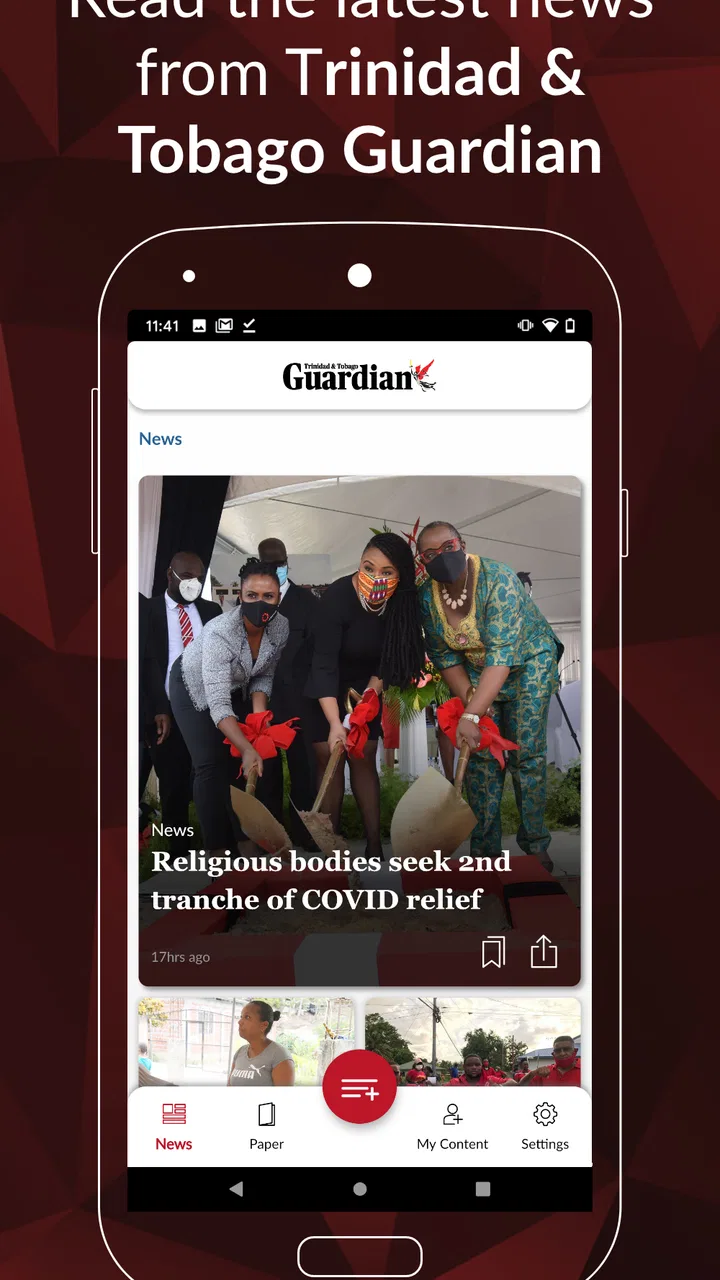
The Digital Guardian
- 3.6
- Rating
- 10.00K
- Installs
- Free
- Price

 Analysis by App-foxy
I approached The Digital Guardian as a practical way to keep the Trinidad Guardian close without carrying a printed newspaper. It is a free News & Magazines app from Guardian Media, aimed at readers who already value the Trinidad Guardian and want a digital reading option on an Android device. My overall impression is that its appeal depends less on having a long list of extras and more on whether you want this particular newspaper in a convenient mobile format.
That distinction matters. This is not the kind of app I would choose simply because I wanted “some news.” It is a focused newspaper companion. If your daily routine includes checking Trinidadian reporting, following local public affairs, or reading the Guardian as part of your morning, the app makes sense. If you want a broad news reader that combines many publishers, international feeds, or highly personalized topics, a different category of app will probably suit you better.
How I would decide whether it fits
My first decision criterion would be the source itself. The app’s store summary presents it as the Trinidad Guardian newspaper on the move, and that focus is the central reason to install it. I would not treat the app as a replacement for every kind of news service. Instead, I would ask whether the Guardian is already one of the publications I trust or regularly seek out. If the answer is yes, having its digital edition available on a phone is a useful convenience rather than another unnecessary news download.
You May Also Like

 Blood Strike: 2.5 Anniversary
Blood Strike’s Loadouts Turn Every Drop Into a Tactical Gamble
A close look at Blood Strike’s custom loadouts: how fast access to signature weapons reshapes its battle royale rhythm, rewards preparation, and narrows the gap between fights.

 Pandora - Music & Podcasts
Pandora’s Music Is Easy to Start, but Harder to Recover
Pandora’s strength is its low-effort path from a seed to a station. Its weak spot is how much confidence it asks you to place in connection, setup, and quiet recovery.

 8 Ball Pool
 Is Built on Rivalries, Rematches, and Routine
A close look at the rivalries, rematches, shared routines, and unanswered safety questions that turn a quick pool match into a persistent mobile community.

 Samsung Music
’s Quiet Strength Is Playing What You Already Own
Its reach comes less from spectacle than from dependable access to a personal library. That simplicity is both the app’s strongest retention engine and its ceiling.

 AccuWeather: Weather Radar
AccuWeather Review: A Quick, Clear Forecast for Everyday Decisions
For everyday plans, the best forecast is the one you can understand quickly. AccuWeather makes rain timing, radar, and local conditions easy to act on, with a few trade-offs.

 Hill Climb Racing
Why Hill Climb Racing Still Turns Crashes Into One More Run
A tiny car, a bumpy hill and one more upgrade: Hill Climb Racing keeps resurfacing because its simple chaos makes every near-miss feel personal.
More From Our News Desk
View All News


The second criterion is reading habit. Some people want short alerts throughout the day, while others prefer opening a newspaper and moving through several sections in one sitting. This app is more naturally suited to the second habit. I found the idea most useful when I wanted a single place to check the day’s Guardian coverage rather than jump between social posts, browser tabs, and unrelated headlines.
Device compatibility is also worth checking before installing. The app supports Android starting with version 5.0, which covers many older devices. That makes it approachable for readers who do not use a recent phone, although the experience will still depend on the handset’s screen, storage, and general performance. On a small or aging device, newspaper-style reading can feel less comfortable than it does on a larger display.
The app is rated for Everyone, so its intended audience is broad. I would still make the same judgment I make with any news product: suitability depends on the articles a reader chooses, not only on the age label. Parents looking for a simple way to place a newspaper app on a family device may appreciate the straightforward positioning, while younger readers who prefer fast visual feeds may find the format less engaging.
Its current version is 5.3.0, and the product has been available since September 7, 2018. Those details suggest an established app rather than a brand-new experiment, but they do not automatically guarantee that every screen will feel modern on every phone. I would keep the app updated through the normal app-store process and judge it by how comfortably it behaves on the device I actually use.
A realistic morning routine
Imagine starting the day with ten minutes before work. Instead of opening several general news apps, I would open this one to check the Guardian’s coverage, read the stories most relevant to Trinidad, and then close it when I had enough context for the morning. That workflow is valuable because it reduces choice. I am not constantly deciding which source to trust or filtering a stream designed to keep me scrolling.
A second useful situation is a reader who lives away from home but still wants a familiar Trinidadian publication within reach. The app can serve as a deliberate connection to that newspaper, especially when checking local developments is more important than receiving a mixture of global headlines. I would use it as a destination app: open it with a clear reason, read, and leave.
One practical tip is to decide in advance whether you want a quick headline check or a longer reading session. If you only have a minute, the app may be more useful for identifying what deserves attention later. If you have a quiet break, a larger screen or a comfortable viewing position should make the newspaper format easier on the eyes. That small change in routine can make a focused publication feel more useful than a crowded news feed.
What it does well for Guardian readers
The strongest advantage is focus. Because the app is tied to the Trinidad Guardian, I would not expect it to dilute the publication’s identity with a random collection of unrelated sources. For a reader who specifically wants Guardian content, that concentration is easier to understand than a general aggregator. I can open one app knowing what kind of material I am there to read.
It is also more convenient than relying on a paper copy when I am away from home. A phone is already part of most people’s daily routine, so placing the newspaper there lowers the effort needed to check it. I can read during a commute break, while waiting for an appointment, or after dinner without needing to find a physical copy first.
The free download is another sensible starting point. I can install it and decide whether the reading experience fits my habits before committing money. That is especially useful for occasional readers who are curious about the digital version but are not yet certain that it will become part of their routine.
There is also a useful psychological benefit to a dedicated newspaper app: it can create a boundary around reading. General social platforms mix news with entertainment, comments, advertising, and endless recommendations. A focused newspaper app gives me a clearer purpose. I open it for the Guardian, rather than being pulled into whatever a feed happens to place in front of me.
That does not mean the experience will suit everyone. A focused app wins through relevance, not variety. If my interests change constantly from local politics to international business, sports from several regions, science, technology, and lifestyle coverage from different publishers, I would probably spend less time switching between apps with a broader news service.
Where another news option may be better
The usual alternatives fall into a few categories. A mobile browser is the most flexible: it can reach many publications and does not require a separate app for each one. A general news aggregator is better for comparing coverage across publishers. Social platforms are faster for discovering breaking conversations, although they are noisier and require more judgment about sources. A print newspaper remains preferable for readers who enjoy a slower, paper-based routine.
I would choose the browser when I need several sources in one session. For example, if I am researching a developing story and want to compare how different publications frame it, a dedicated Guardian app is not the most efficient tool. The browser gives me a wider path through the news landscape, even if it is less focused and may feel less consistent from one visit to the next.
I would choose an aggregator when breadth matters more than loyalty to one publication. Aggregators can be useful for someone who wants a quick overview of many subjects without opening multiple publisher apps. The trade-off is that the experience may feel less connected to any single editorial voice. The Guardian app is the better choice when the publication itself is the destination.
I would choose social media for immediate public reaction, not as my only reading environment. Social feeds can surface a story quickly, but they also mix confirmed reporting with commentary and repetition. For me, a newspaper app is a calmer starting point when I want to read rather than react. Still, a person who measures usefulness by speed and conversation may find a social feed more lively.
Print has its own strengths. It is comfortable for readers who like scanning a whole newspaper, setting it down, and returning to it later. The digital app wins on portability, but it cannot reproduce every physical habit. Someone who strongly dislikes reading on a phone should not install it expecting the screen to feel like paper.
Reading friction and practical trade-offs
The main friction is that a dedicated newspaper app creates another place to check. If I already have a browser shortcut, an email newsletter, and several news apps, adding this one could make my routine more fragmented. Its value is highest when I replace a less convenient way of reaching the Trinidad Guardian, not when I simply add it to an already crowded phone.
Screen size is another real consideration. I would be comfortable testing it on a larger phone, but I would be more cautious on a compact display or an older handset. Newspaper reading often involves scanning headlines, opening articles, and moving between pieces of content. If text feels cramped or navigation requires too much zooming, the convenience of mobile access can disappear.
Connectivity should shape expectations as well. I would plan my reading around the connection available to me instead of assuming that every part of the experience will be equally convenient offline. Before depending on it during travel or in an area with unreliable service, I would open the app in advance and make sure it behaves as I need. That is a simple precaution, but it prevents a newspaper app from becoming frustrating at the exact moment I want it.
The free label also deserves a closer look. The app itself is free to download, while in-app purchases are listed from $6.99 to $69.99 per item. I would not treat the installation price as the complete cost decision. Anyone considering paid access should read the purchase screen carefully, understand what each option unlocks, and decide whether the value matches the frequency with which they read the Guardian.
This is where the app’s cost structure can work for different readers in different ways. An occasional reader may be satisfied with trying the free app and using only what is available without making a purchase. A daily reader may see more value in paid access if it supports the way they consume the publication. I would avoid buying immediately; I would first establish a reading habit and then decide whether the additional cost is justified.
A useful switching tip is to keep the old method available for a short period. If I normally read the Guardian in a browser or on paper, I would use the app alongside that method briefly rather than deleting the alternative on the first day. I would compare how quickly I find the stories I care about, how comfortable the text feels, and whether I actually return to the app without prompting. That test is more meaningful than judging it after one installation.
Who should install it, and who should skip it
I would recommend it to a Trinidad Guardian reader who wants a mobile-first way to reach the newspaper. It is particularly sensible for someone whose news routine is centered on Trinidadian coverage and who prefers a dedicated source over a mixed feed. The free installation lowers the risk of trying it, and the broad Everyone rating makes it an uncomplicated option for general readers.
I would also suggest it to people who want to reduce the distraction of general news platforms. The app’s narrow purpose can be a strength for readers who want to check a publication and move on. Used intentionally, it can support a short morning briefing or a focused evening reading session without turning the entire phone into a stream of competing headlines.
I would skip it if I need one app to cover every subject and publisher. I would also look elsewhere if I mainly want instant alerts, community discussion, personalized recommendations, or a highly visual news experience. Those needs point toward other categories of tools. Installing this app will not solve a problem it was not designed to solve.
I would be cautious about recommending it to someone who rarely reads the Trinidad Guardian. Even though the download is free, attention is still a cost. If I am unlikely to open a publication-specific app, a browser or broader news reader is more practical. The right question is not whether the app is free; it is whether the Guardian’s coverage is important enough to deserve a dedicated place on the phone.
My final recommendation
After weighing the alternatives, I see The Digital Guardian as a focused access point rather than an all-purpose news solution. Its best quality is its clear identity: it brings Guardian reading into a mobile routine for people who already want that publication. The free entry point makes experimentation easy, while the listed in-app purchase range means I would take a moment to understand the paid choices before committing.
My recommendation is straightforward. If the Trinidad Guardian is one of your regular news sources, install it and test it during a normal week, not just during a spare minute. Use it for your actual morning or evening routine, check whether the screen is comfortable, and notice whether it saves time compared with your current method. That real-world trial will tell you more than the download page.
If you want broad coverage from many publishers, a browser or general news app will likely be the better everyday tool. If you want the Guardian specifically, this app is the more direct choice. I would describe it as worthwhile for a defined audience, with its focus being both its biggest strength and its clearest limitation.
For me, the deciding phrase is choose it for the newspaper, not merely for the category. Guardian Media has made a free mobile option for readers who want the Trinidad Guardian nearby, and that is a useful purpose when it matches your habits. I would recommend giving it a fair trial, keeping expectations focused, and paying only when the reading experience has proved valuable in your own routine.
FAQs for The Digital Guardian
01What is The Digital Guardian, and what does it do?
The Digital Guardian is a digital safety and monitoring application designed to help users keep track of device activity, manage online habits, and improve personal or family security. Depending on the version and platform, its tools may include activity monitoring, alerts, usage reports, privacy controls, or protection features. Before downloading, review the official description carefully because available functions can differ between Android and iOS.
02Is The Digital Guardian suitable for monitoring children or family devices?
The Digital Guardian may be useful for parents or guardians who want greater visibility into a child’s device use, but suitability depends on the specific monitoring features included in the current release. Responsible use is important: explain monitoring rules clearly, respect age-appropriate privacy, and follow local laws. Some features may also require setup on more than one device or an account managed by an adult.
03Does The Digital Guardian require a subscription or contain in-app purchases?
Before installing The Digital Guardian, check its store listing for the latest pricing information. Applications in this category commonly offer a free download with limited tools, while advanced reports, alerts, protection options, or multi-device support may require a subscription or one-time purchase. Also verify whether a free trial automatically changes into a paid plan and learn how cancellation works through Google Play or the App Store.
04What permissions does The Digital Guardian request, and are they safe to approve?
The Digital Guardian may request permissions related to notifications, device usage, location, accessibility, contacts, or background activity, depending on the features you enable. These permissions can be necessary for monitoring and alerts, but they provide access to sensitive information. Read each permission prompt instead of approving everything automatically, grant only what is required, and review the developer’s privacy policy before using the app.
05Will The Digital Guardian work on every Android or iPhone?
Compatibility depends on your device model, operating system version, and the app’s current technical requirements. Some monitoring or security functions may work differently on Android and iOS because each platform has different restrictions on background activity, permissions, and system access. Check the official Google Play or App Store listing before downloading, keep your operating system updated, and confirm that any companion-device requirements are supported.
Pros
- Monitors app activity and alerts you to suspicious behavior.
- Includes identity theft protection features for personal information.
- Offers customizable privacy settings for different family members.
- Provides useful security notifications without requiring constant manual checks.
- Helps identify potential risks across connected devices.
Cons
- Some advanced protection features may require a paid subscription.
- Continuous monitoring can increase battery and data usage.
- Alerts may occasionally be unclear or require extra investigation.
- The setup process can feel lengthy for first-time users.
- Compatibility and features may vary across Android and iOS devices.

The Digital Guardian
Gallery